
Oh no... In the last few weeks it seems every second tech youtuber has posted a video about Dell's new XPS with 8GB of RAM.
You may be able to get away with this for a personal device (although I'm still unconvinced), but before you break out the business credit card - STOP. Before you buy that budget laptop to use in a business context (even if your only use cases are email and Teams) we need to discuss a few matters.
Now I get it, if your business is keeping a close eye on the bottom line, saving a few hundred dollars on these budget-friendly models feels like a win. But when you factor in the robust security tools, communication platforms, and everyday workflows required to keep your business secure and productive that 8GB is a headache waiting to happen.
Please Sir, can I have some more?
One of the obvious questions is "why in 2026 is 8GB making a comeback?" - in fact we even spoke about this a while back. The answer - as with everything it seems - is AI.
The current global memory supply shortage ("RAMpocalypse" to some) is largely driven by the explosive growth of artificial intelligence. Tech giants are buying up massive amounts of memory for AI data centres, leaving a severely constrained supply of traditional RAM for consumer and business PCs.

As a result hardware manufacturers are facing a dilemma: raise the base price of their laptops or cut the specifications to maintain attractive(ish) sticker prices. Many have chosen the latter, reverting to 8GB as the standard. But while vendors are trying to preserve their margins, they are passing the productivity cost directly onto your small business.
16GB used to be the bare minimum, now it's suddenly a "Pro" feature (at least according to manufacturer model tiering). Unfortunately for business that 16GB still needs to be considered your minimum.
Invisible workloads
When a tech-youtuber tests out an 8GB RAM laptop, they're generally (not always!) making a sterile test - how did it browse, how did it email. And often with a mix of "Hey it can't run Adobe Lightroom or After Effects" - you know, because video and image editing is the only "business" workload out there... Anyway, sarcasm aside - if you have some security baked into your laptop it's actually doing quite a few things all at once. Each of these things is eating RAM. Here is what your business PC is actually running before you even open a spreadsheet:
- Security and Resilience Tools: As security consultants, we strongly advise businesses to run robust, active security stacks. Endpoint Detection and Response (EDR) and Mobile Device Management (MDM) solutions constantly monitor system behaviour in real-time to stop cyber threats. This vital protection requires dedicated memory to function without slowing down the user. If your business has cyber insurance or sells services to a larger enterprise, none of this is an option I might add
- Collaboration Platforms: Applications like Microsoft Teams or Slack are often non-negotiable for business communication - especially with hybrid or distributed teams. These apps actually hit you twice as they're often built on web technologies (like Electron) that are notoriously memory-hungry. Simply leaving these managed apps open in the background consumes a massive chunk of your available RAM.
- Web Browsers and Cloud Apps: Whether you use Chrome or Edge, modern browsers treat every open tab as its own separate process. If your team relies on web-based CRMs, accounting software like Xero, and multiple email tabs, that 8GB ceiling is hit incredibly fast.
- Windows itself: The 800 pound gorilla in the room. Windows will actually eat the majority of that 8GB before any of the above is running.
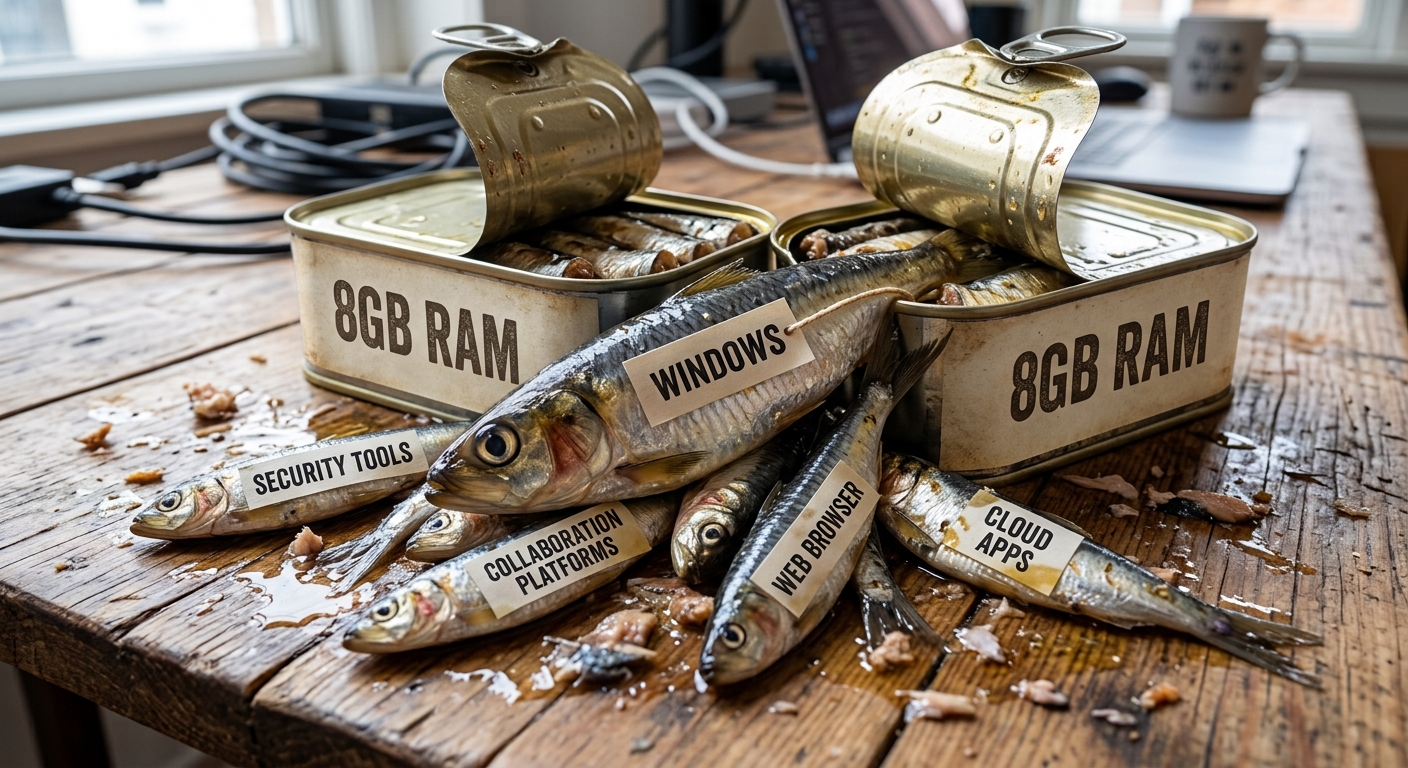
Once the memory fills up, the computer is forced to use the hard drive as temporary RAM (a process called "paging"). The result? System freezes, dropped Teams calls, and deeply frustrated staff.
Windows 11 - ohh the irony
There is a striking irony to this situation, especially when we look back at our previous discussions on extending the life of older hardware. Right now, there are perfectly capable business laptops sitting in cupboards - machines that shipped with 16GB or even 32GB of RAM years ago - that cannot be upgraded to Windows 11 simply because their internal processor (CPU) doesn't meet Microsoft's strict hardware cut-offs.
It's galling to think businesses are actively retiring older, high-memory machines in the name of forced obsolesence, only to replace them with brand new, fully Windows 11-compliant laptops that are crippled by a mere 8GB of RAM. You are effectively forced to bin a machine that had the memory capacity to do the job perfectly well, only to trade it for a newer machine that will choke on your day-to-day business applications.
A little lateral thinking
We are all feeling the squeeze of rising costs, but buying underpowered hardware is a false economy. The hours of productivity lost to frozen screens and slow reboots will quickly outstrip the initial savings on the hardware.
While there seems to be a push towards Cloud PCs to offload the compute burden, we generally advise against this for SMBs. Cloud PCs often trap small businesses in a cycle of perpetual renting and complex licensing, creating ongoing operational expenses that can spiral out of control. The very companies eating up the RAM and driving the cost of your compute through the roof are also here to sell you an ongoing subscription as a solution... hmmm.

Instead, consider some practical solutions that you will own:
- Pool and Repurpose Hardware: Instead of buying two cheap 8GB laptops, pool your resources to purchase one powerful 16GB machine for your most demanding user. Cascade their older (but still highly capable) hardware down to a role with lighter demands.
- Explore Non-Windows Alternatives: We use non-Windows alternatives! But I'll also be the first to caution that it's not for every business. However: if a staff member’s role is purely web-based, do they really need a resource-heavy Windows environment? Operating systems like Linux or ChromeOS Flex are incredibly lightweight and can run beautifully on lower-spec hardware, stretching your IT budget further without sacrificing speed. That cupboard full of laptops that are too old to run Windows 11. This is for you.
- Avoid Soldered Memory: If budget constraints mean you absolutely must buy an 8GB laptop today, check the spec sheet carefully. Ensure the RAM is not soldered directly to the motherboard. You want the ability to easily and cheaply add another stick of RAM when global memory prices eventually come back down. I'll also make an important call-out about the laptop itself. Even if the RAM is user-replaceable, how easy is it to access? Do you have to fight glue, or break a dozen plastic tabs to get to it? Do your homework online, check iFixit, look for manufacturer service guides. Don't buy blindly.
Closing thoughts
The resurgence (resurrection?) of 8GB laptops is a symptom of a global hardware market under pressure, but your small business shouldn't have to bear the brunt of it. As security tooling, web apps, and collaboration tools demand more cumulative resources, 16GB of RAM is the realistic baseline for a secure and productive workforce. Investing slightly more upfront - or making smart, alternative procurement choices - will save you from years of technical frustration and lost efficiency.
Is your business infrastructure prepared to handle the demands of modern work without slowing your team down? At secureAF, we specialise in providing the strategy, security consulting, and network design that keeps Australian small businesses resilient. Book a free consultation with us today, and let’s ensure your technology is an asset, not a bottleneck.