
Upgrade to a passkey for a faster, more secure sign-in.
Upgrade to a passkey for a faster, more secure sign-in.
Upgrade to a passkey for a faster, more secure sign-in.
Do you also feel like you're seeing that prompt everywhere you go? It's an endless nag. Something that SHOULD make life easier has been rolled out without user education or support.
Let me back up for a moment... Passkeys?
The tech industry has heralded passkeys as the ultimate silver bullet for cybersecurity. They promise to finally kill the password, end phishing attacks, and make logging into your accounts as simple as scanning your face or tapping a fingerprint. On paper, it's an amazing proposition for anyone tired of managing complex password policies and dealing with the constant threat of compromised credentials.
But there is a catch. A massive, operational catch.
When used consciously and deliberately as part of a well-designed IT strategy, passkeys are genuinely amazing. But when they are adopted unconsciously (which is exactly how the tech giants are currently pushing you to adopt them) they quickly turn into an absolute operational nightmare. Without a plan, you run the very real risk of having your critical business credentials scattered and trapped across different devices, operating systems, and web browsers.

Now, I worry the industry's approach is making the problem worse, not better.
Let me back up a bit more...
What Are Passkeys, Actually?
First, some of that education I mentioned. Historically, logging in relied on a shared secret: your password. You know the password, and the website's server knows the password. When you type it in, the server checks if they match. The fatal flaw here is that if a cybercriminal breaches the server, or tricks you into typing that password into a fake website (phishing), they now know your shared secret. Game over.
Yes, yes, the above is a simplified explainer and skips over password hashing and encryption. If you want those details don't read a blog post, I have a wikipedia article for you.
Anyway: Passkeys replace this shared secret with public key cryptography. Think of it like a highly advanced physical padlock and a unique key.
- When you create an account, your device generates two mathematically linked keys.
- The public key (the padlock) is sent to the website. It can only be used to lock things, so it doesn't matter if a hacker steals it.
- The private key (the physical key) stays securely stored on your device. It never leaves.
When you go to log in, the website sends a "challenge" locked by your public padlock. Your device uses your private key (usually unlocked by your face, fingerprint, or PIN) to solve the challenge and prove it's really you. Because the private key never travels across the internet, it cannot be phished, intercepted, or stolen from a server data breach.
The security is bulletproof, it's mathematical magic. The area where it all falls apart is user experience.
Click YES to go away
History doesn't repeat but it often rhymes.
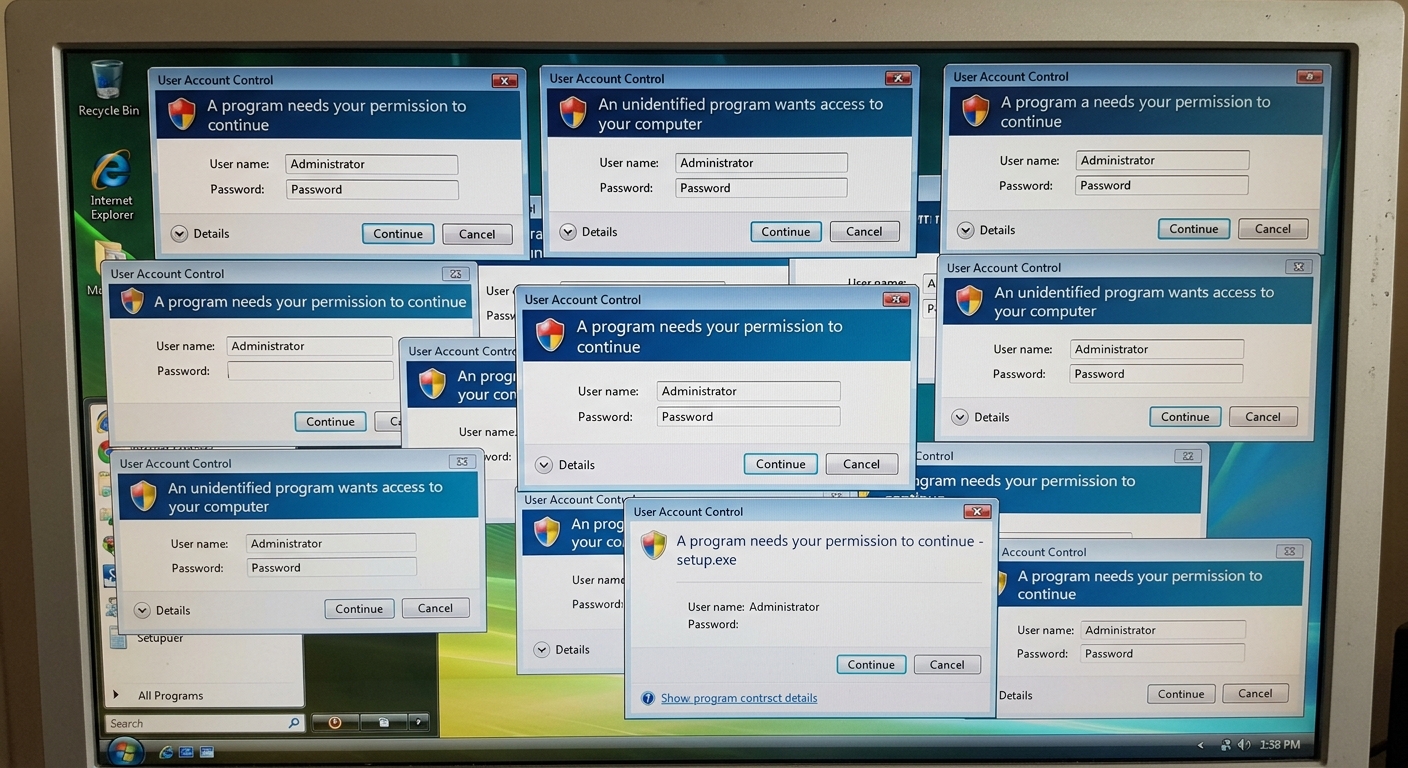
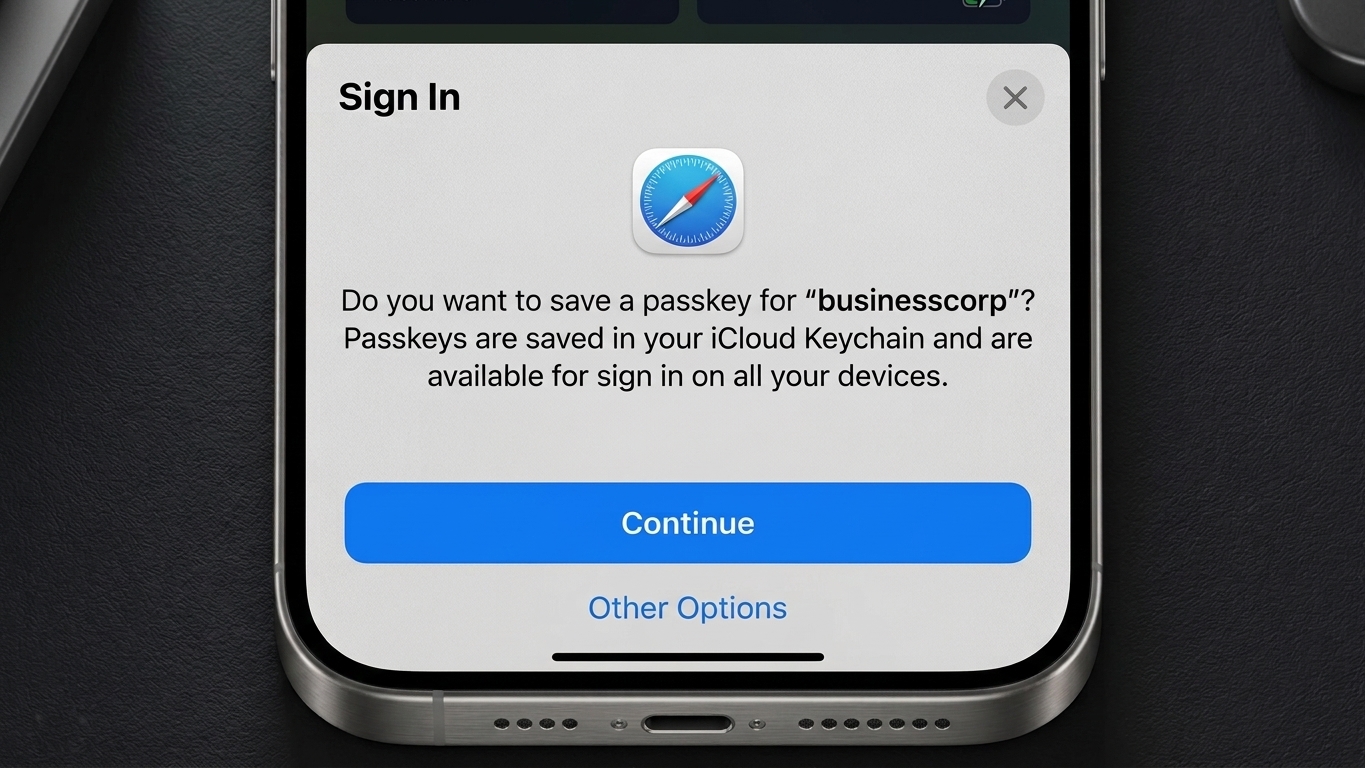
We are currently living through an era of aggressive "pop-up" culture from vendors. Every time you present your email address or mobile number to log in, a prompt takes over the screen aggressively suggesting you switch to a passkey.
It's giving Windows Vista era User Account Control (UAC) vibes. Back then, Windows would relentlessly prompt users with warnings for every minor action: "Are you sure you want to run this program?" The result wasn't better security; it was alert fatigue. People simply learned to click "Yes" as fast as humanly possible just to make the box go away so they could get on with their day.
The exact same psychological phenomenon is happening right now with passkeys.
When a busy office manager is trying to quickly log in to process payroll or a sales manager is trying to access Google Workspace five minutes before a client pitch, they don't have the time or mental bandwidth to critically evaluate credential storage architecture. They see a prompt blocking their path, they click "Create Passkey," scan their fingerprint, and move on.
THIS is what worries me.
I don't believe industry is removing friction from the login process. By endlessly nagging users to upgrade without explaining where that key is actually being stored, they are driving the wrong behaviour. They are inadvertently creating a scattered, unmanageable web of trapped credentials.
The Hostage Situation
So, your staff member clicked "Yes." Where did that passkey actually go?
If they were on their iPhone, it almost certainly went straight into Apple's iCloud Keychain. If they were on a Windows PC using Chrome, it might be trapped in the local Windows Hello secure enclave, or perhaps Google Password Manager swallowed it.

This is the operational nightmare: Platform lock-in.
Passkeys are fundamentally tied to the ecosystem that generates them. While the tech giants are slowly working on standards to allow passkeys to move between ecosystems, the current reality for a small business is severe fragmentation.
Apple's Ecosystem Trap
Let’s imagine a real-world scenario. Sarah, your marketing manager, uses her personal iPhone to log into your company's Mailchimp account on the weekend. The prompt appears, she clicks "Yes," and the passkey is saved to her Apple iCloud Keychain.
Come Monday morning, Sarah comes into the office and sits down at her Windows work laptop. She tries to log into Mailchimp. The website asks for her passkey. Because that passkey is physically trapped inside Apple's walled garden, her Windows laptop has no idea it exists. She is locked out. To get in, she now has to pull out her phone, scan a QR code on her laptop screen, and jump through hoops just to bridge the gap between Apple and Microsoft.
Now, what if Sarah leaves the company? That Mailchimp passkey is sitting in her personal iCloud account. You have no administrative control over it, no way to audit it, and no way to easily revoke it or transfer it to her replacement.
Windows and Android Silos
This isn't a uniquely Apple problem. Passkeys created on an Android phone default to the Google ecosystem. Passkeys created on a desktop PC are often tethered to that specific machine's Trusted Platform Module (TPM) chip via Windows Hello.
If your small business is a mixed-device environment, where staff might use Macbooks, Windows PCs, iPhones, and Androids interchangeably, you're in for a world of hurt.
IT support tickets skyrocket as users find themselves inexplicably locked out of accounts depending on which physical device they happen to be holding at the time. Your company's digital keys become hostages to the device manufacturers.
A hero emerges
So what's the solution? How do we get the incredible anti-phishing security of a passkey without the operational lock-in?
The answer lies in decoupling the key from the device. We do this by using a dedicated hardware security token, such as a YubiKey.
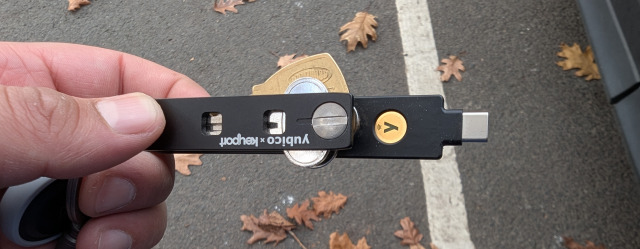
Now this isn't a new concept, we've spoken about hardware tokens before. We use hardware tokens outselves and have helped our clients implement them.
A hardware token is a small device (usually looking like a USB stick) that acts as a physical vault for your passkeys. Rather than saving the private key to Windows, Apple, or Google, the key is generated and stored directly on the physical token itself.
When you need to log in, you simply plug the toekn into your computer (or tap it against your phone using NFC) and touch the gold sensor on the key.
This delivers flexibility for modern, WFH, or hybrid businesses. Back to the scenario above, if Sarah has a hardware toekn, it doesn't matter if she's logging in from her office Windows PC, her home Macbook, or her Android tablet. The passkey travels with her on her keyring, completely independent of technology ecosystems. And the real kicker - if Sarah leaves the company, you simply ask for the physical token back.
So problem solved right? Well not so fast. Back to user experience for a moment...
The issue is that relying entirely on hardware keys for every single login can become cumbersome. You don't necessarily want to pull out a USB key just to log into an obscure stationary supplier's website once a year.
That is why at secureAF, we advocate for a balanced, conscious approach.
Tiered Strategy
What we actually want is the best of both worlds - unbeatable security and frictionless daily operations. For that we generally recommend implementing a two-tier credential management model for business
Tier 1: My Precious
Your "Tier 1" accounts are the critical infrastructure of your business. If a cybercriminal gets access to these, your business suffers severe, immediate financial or reputational damage.
For these accounts, you must be incredibly deliberate. Never let a web browser or mobile phone save the passkeys for these accounts. Instead, mandate that all Tier 1 passkeys are stored on a physical hardware token.

What belongs in Tier 1?
- Your Primary Business Environment: Your main Google Workspace or Microsoft 365 accounts. This is the master key to your emails, SharePoint files, and company directories.
- Your Banking and Financial Systems: Xero, MYOB, and any business banking portals that offer passkey support.
- Your Password Vault: The master account that guards the rest of your company's credentials.
By securing these critical accounts with a physical token, you completely eliminate the risk of remote phishing attacks for your most vital assets, while ensuring those credentials are never swallowed by an employee's personal iCloud account.
Tier 2: Daily Grind
Your "Tier 2" accounts make up the other 95% of your digital footprint. These are the software-as-a-service (SaaS) tools, supplier portals, marketing platforms, and subscription services your team uses daily.

For these accounts, convenience and team sharing are paramount. Instead of using a physical key, use a dedicated, business-grade password vault as your passkey repository.
At secureAF, we frequently use and deploy tools like Bitwarden, though platforms like 1Password and Keeper offer excellent functionality as well. Modern password managers have evolved; they don't just store passwords anymore. When a website prompts you to "Create a passkey," your password manager's browser extension will intercept that prompt.
Instead of letting Apple or Windows save the passkey, the password manager saves it directly into your secure vault.
Why would you want this?
- Agnostic Syncing: The password vault syncs seamlessly across Windows, Mac, iOS, and Android. Your passkeys are no longer trapped in one ecosystem.
- Secure Sharing: If your marketing team needs shared access to a Canva or Mailchimp account, you can securely share the passkey via the password vault without ever exposing a password.
- Centralised Control: As the business owner, you maintain administrative control. If a staff member leaves, you can instantly revoke their access to the company password vault, cutting off their access to all Tier 2 passkeys simultaneously.
Avoiding a Mutiny
Implementing this tiered strategy requires a shift in how your team thinks about logging in. If you simply hand out hardware keys and change IT policies overnight, you will face pushback. The key to a successful rollout is education and conscious practice.
First: you need to untangle the existing mess. Run an audit to find out where your team is currently storing their passwords and passkeys. Have they been clicking "Yes" to Apple and Google? You'll need to work with them to systematically migrate those credentials out of personal silos and into your company's managed password vault.
Second: provide clear, plain-English guidelines. Tell your staff: "When the screen asks you to create a passkey, do not click the blue 'Continue' button if it has an Apple or Windows logo. Look for the prompt from our company password manager."
Finally: treat the rollout of Tier 1 hardware tokens as a VIP experience. Explain to your executives and key staff why they are receiving a physical key. Frame it not as an IT restriction, but as an empowerment tool - a physical shield that guarantees hackers cannot breach their most important accounts, no matter how clever the phishing email might be.
Taking Back Control
Passkeys represent a genuine leap forward in cyber security. They mathematically eliminate the kinds of credential theft that plague Australian small businesses daily. But the tech industry's rush to deploy them - prioritising frictionless pop-ups over deliberate architecture - has created a landscape filled with hidden traps.
When you allow your passkeys to be managed unconsciously, you surrender control of your business's digital identity to device manufacturers. But by adopting a conscious, tiered strategy (such as using hardware tokens for the crown jewels and a robust password vault for everything else) you can achieve true business resilience. You get the security the industry promised, with the operational flexibility your team actually needs.